Traveller Lifepath

Ülevaade

A free, accessible, browser-based character creator and editable sheet for Mongoose
Traveller 2022 https://groupfinder.eu/library/traveller-2e-2016
— every roll cited, every choice logged, every character saved locally.

Description

Traveller Lifepath is a free, browser-based character creator and editable sheet for Mongoose Traveller 2022. It walks players through the full Mongoose 2022 lifepath — basics and species, characteristics, background skills, pre-career education (University, Army Academy, Marine Academy, Navy Academy), career terms with their full survival / event / commission / advancement loop, mustering-out, the post-creation skill package, and a final reviewable character sheet — without ever leaving a single browser tab.                                                              The tool offers three ways to set characteristics. Players who want the classic experience can have the site roll 2D × 6 into a pool and assign each value to whichever stat they like. Players who prefer their own physical dice can enter results manually; the site still tracks every DM, target, success/failure, and aging effect. Players who'd rather skip randomness entirely can use the included point-buy method (42-point budget, 2..12 per stat). PSI is rolled separately when psionics are enabled, and the Psion career unlocks accordingly. 
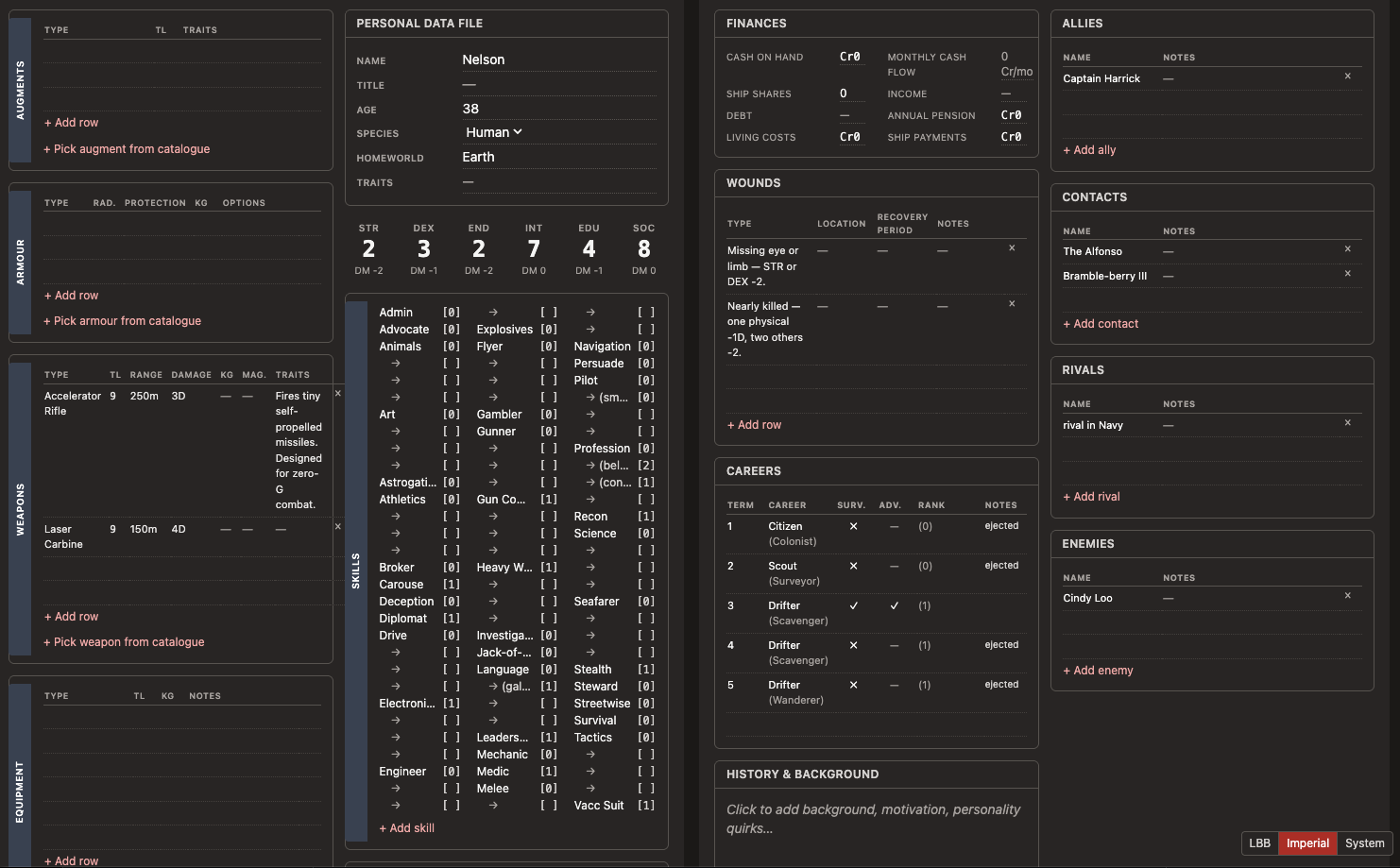
The character-creation rules are implemented as a typed effects engine — TypeScript discriminated unions with exhaustive switching — so every rule lives in one place and can be tested in isolation. The project ships with around 360 automated tests covering qualification, commission, advancement, aging crises, mishaps, life events, connections, the skill cap of 3 × (INT + EDU), pre-career education, and the Mongoose 2022 errata clarifications for Vargr and the Vacc Suit skill. A full audit trail of every rolled die, every applied DM, and every player choice is captured to a roll log that updates in real time. The post-creation sheet is a fully editable Mongoose-style character record. Skills, careers, equipment, weapons, armour, augments, connections, benefits, and free-form notes can all be edited inline; values save automatically to localStorage with cross-tab synchronisation, and the sheet is print-friendly (one panel per printed page, ink-friendly styling). Every character in the local library can be exported and re-imported as JSON for backup or for handing off between players.                                                      Two visual themes are included: a light "Little Black Books" look in the spirit of Classic Traveller, and a dark "Imperial" theme — plus a System mode that follows the operating system's light/dark preference and reacts live when it changes. Theme choice is remembered between sessions.                                                                    Accessibility is treated as a first-class concern. The interface meets WCAG 2.1 AA contrast requirements in both themes (verified by an axe-core audit suite that runs as part of the project's tooling), every interactive element has a visible keyboard focus indicator, icon-only buttons carry ARIA labels, and the layout includes a skip-to-content link for screen-reader users.           
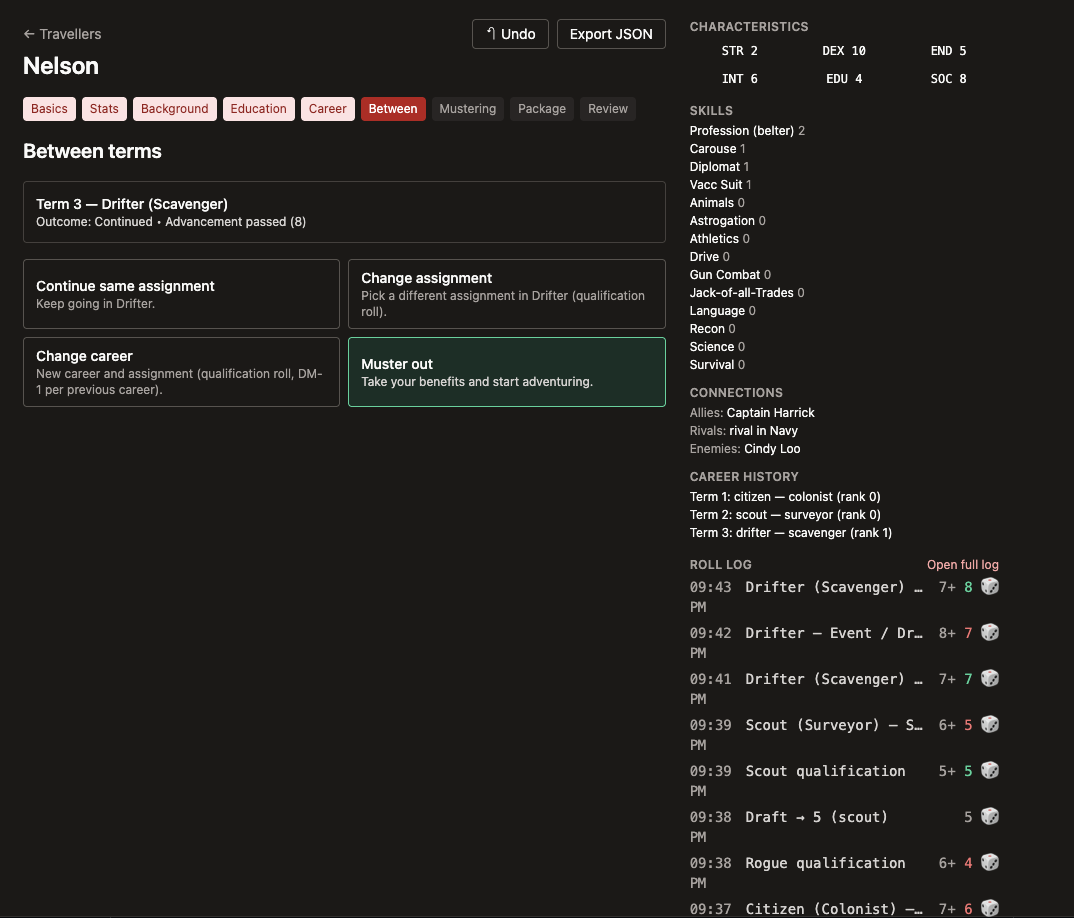
Other features include undo across the wizard (rewinds to the relevant picker after popping a character snapshot), URL-based debug logging (?debug=1), the Connections rule for shared PC backgrounds, an aging-crisis path with medical-debt accumulation, and an honest "unofficial fan tool" disclaimer in every place it matters.                            The project is open-source under the MIT License, runs entirely client-side with no backend and no account requirement, and uses privacy-friendly analytics (no cookies). Bug reports, rules questions, and pull requests are welcome on GitHub.

Links

bytesbynelson.github.io https://bytesbynelson.github.io/traveller-lifepath/ - Live tool github.com https://github.com/BytesByNelson/traveller-lifepath - Source code github.com https://github.com/BytesByNelson/traveller-lifepath/issues - Issue tracker / feedback

Arvustused

Järjestatud:

Arvustusi pole veel.

Logi sisse arvustuse lisamiseks.

Teised kirjed

Saga20 Free Tools
Tools & Platforms

Saga20 Free Tools

English
Generators
Free
Saga20 Free Tools is a set of small utilities for D&D and TTRPGs, each built to clear one specific bottleneck at the table. Nothing asks for a login, nothing runs ads, and each one loads as its own page. The dice roller handles a d20 with advantage or disadvantage, applies the modifier, and rolls damage in the same click, with the full set from d4 to d100 and a typed input for things like 1d20 + 2d6. The Magic Item Price Calculator gives a fair gold value for any 5e item from its rarity and category, and shows the valid market range so a generous DM does not accidentally break the campaign economy. The Point Buy Calculator builds ability scores using point buy, the standard array, or rolled stats, with live modifiers under both the 2014 and 2024 rules. The rest follow the shape of a campaign. Before the first session, an agreement builder covers logistics, safety tools, and house rules, then exports to PDF, and a party connection generator ties the characters' backstories to each other. Mid-game there is a time manager for pacing and a wild magic surge table with 100 original effects. Afterwards the recap generator turns the night's highlights into cards worth sharing. There is also a shopkeeper generator, a magic item picker, and a party composition analyzer that says out loud whether anyone remembered to bring a healer. Best for any table wanting a quick tool or answer mid-session without making an account first.

Loe edasi

Thrive to Survive
Tabletop Roleplaying Games

Thrive to Survive

TTRPG
English
Apocalyptic
Thrive to Survive is a tabletop RPG ruleset for a modern day zombie apocalypse. Launched on Kickstarter in 2025, with decades in development this system gives rules both to make one of a kind custom survivors as unique as the player. And intense apocalypse campaigns and encounters for the game master. Combat The combat system for Thrive to Survive is based on the chaos of combat and how enemies react to each other while fighting rather than simple attacks and health pools. As characters get stronger they are able to use more combat maneuvers that manipulate how strikes land in combat and what they do to their enemy, after all in the end you have to destroy the head! While at some points you may want to build a wall to keep out the dead, other times you may need to break one down to escape a situation. Thrive to Survive gives rules for handling buildings, obstacles and construction so that every player can interact with the world how they see fit. Part of what makes a zombie apocalypse game so enticing is the realism of how a person would deal with an apocalypse. Keeping a fine balance of simple rules and realism allows for an easygoing and exciting adventure. Attributes There are an infinite number of ways someone can survive the zombie apocalypse. While the most common thoughts about surviving are how can you kill the most undead as possible, you have to think of thriving as well. From farming for your own food, Creating tools and equipment to help others, Medical knowledge to keep people alive, and even computer skills to access old data or create something new! To capture this the character creation gives you access to skills across the board, abilities your survivor possesses, and other features to make your survivor unique. Each survivor builds from the ground up by picking skills, talents, attributes, disabilities, features, and equipment. These sections are all connected in creating the gameplay of each survivor. Skills While there are a plethora of skills, most of them can be broken into a couple groups, Combat skills that determine your attacks such as the blade skill. Action skills that let you attempt something beyond the mundane such as acrobatics, and Crafting. Crafting allows you to design, build, repair and upgrade any item in Thrive to Survive. The more complex an item is the more time, material and skill is needed to create it. If you want to stick some nails through a baseball bat to cause some extra mayhem, you’ll need some training in weapons crafting. But if you want to hand craft a new design for a 50 caliber machine gun, you’re going to need some specialized skill and a lot of time. Crafting skills also build on each other, meaning that like in the string map shown here you have to have some skill in the previous crafting level in order to get the next. For example to become skilled in crafting explosives you will need a few levels of engineering first.

Loe edasi

Medieval Fantasy City Generator
Tools & Platforms

Medieval Fantasy City Generator

English
Free
Universal
The Medieval Fantasy City Generator (MFCG) is a highly influential, browser based procedural tool created by the developer watabou. Since its debut in 2017, it has become the gold standard for "instant" urban cartography, capable of generating complex, aesthetic city layouts in a single click. In late 2025 and early 2026, the tool received significant updates to its District View and Building Placement algorithms, allowing for more organic street flow and higher density urban "slums" that better reflect historical medieval layouts. Description The Medieval Fantasy City Generator is a "toy" in the best sense of the word—a lightweight, highly customizable application that prioritizes "cool looking" maps over strict geographical simulation. It uses Voronoi diagrams to partition space into districts, then fills them with procedurally generated buildings, walls, and landmarks. Because it runs entirely in HTML5, it requires no installation and is a favorite for GMs who need to generate a "capital city" or "coastal port" on the fly during a live session. System Overview & Key Features One Click Generation Pressing a single key (Enter) generates a completely new city with unique geography. The tool automatically decides where the castle, the temple, and the market square go, providing an instant foundation for a Game Master to build their narrative upon. Procedural District Mapping The 2026 version features an improved "Alleys and Blocks" view. Cities are divided into logical districts—like the Craftsmans Quarter or the Shanty Town—each with its own architectural density and procedurally generated name that can be edited by the user. Dynamic Warp Tool GMs can manually reshape the city by "warping" its boundaries. If you need a city that is long and thin to fit a specific riverbank, or a circular fortress atop a hill, the warp tool allows you to push and pull the city's footprint while the buildings rearrange themselves in real time. 3D City Viewer Integration By exporting a city as a JSON file, users can open their map in the companion City Viewer app. This transforms the 2D layout into a fully navigable 3D environment, perfect for showing players the "skyline" of the city they are about to enter. SVG and JSON Export Maps can be exported as high quality SVG files, allowing them to be opened in programs like Illustrator or Inkscape for further artistic customization. The JSON export ensures full compatibility with other "Procgen Arcana" tools and major VTTs like Foundry. Azgaar's Integration The generator is natively linked to Azgaar's Fantasy Map Generator. When a user clicks on a city in a world map, it can automatically trigger the Medieval Fantasy City Generator to build that specific town, creating a seamless "World to Street" experience. Additional links watabou.itch.io/medieval-fantasy-city-generator - Official application page watabou.github.io - The full "Procgen Arcana" suite of generators patreon.com/watabou - Official Patreon for supporting the developer

Loe edasi

Otsid seltskonda?

Leia lauamänguseltskond, millega liituda, või mängijaid, keda kutsuda. Groupfinder on tasuta seltskonnaotsingu platvorm. Mängijatelt mängijatele.